Meet your lightning-fast AI video editor
Silence cutting, captions, zooms, chapters,
podcasts and much more, right in

Requires Adobe Premiere Pro 2022+ (Windows or MacOS)





Meet your
lightning-fast
AI video editor
Silence cutting, captions, zooms, chapters,
podcasts and much more, right in
Requires Adobe Premiere Pro 2022+ (Windows or MacOS)
Meet your lightning-fast AI video editor
Silence cutting, captions, zooms, chapters,
podcasts and much more, right in
Requires Adobe Premiere Pro 2022+ (Windows or MacOS)

Top creators save hours everyday with FireCut
Top creators save hours with FireCut
"It has more than halved our workload"
"It has more than halved our workload"
"FireCut lets us deliver 20+ more billable hours every week"
"This plugin is a dream come true"



Trusted by industry-leading brands
Top creators save hours with FireCut
"FireCut is light years ahead of the game"
"FireCut is light years ahead of the game"
"Amazing for adding super-dynamic captions"
"It's the next big thing"







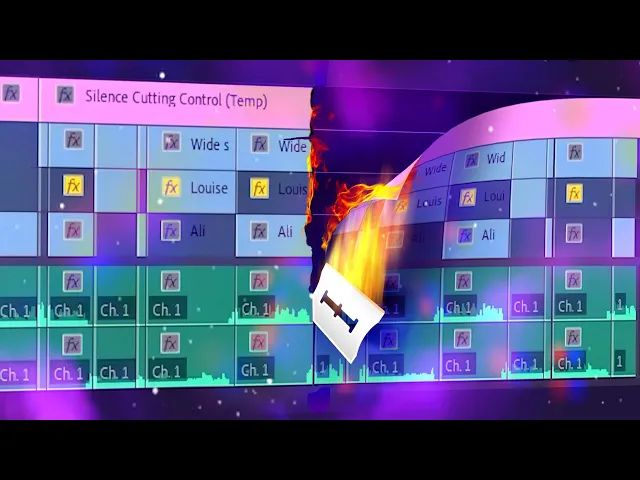
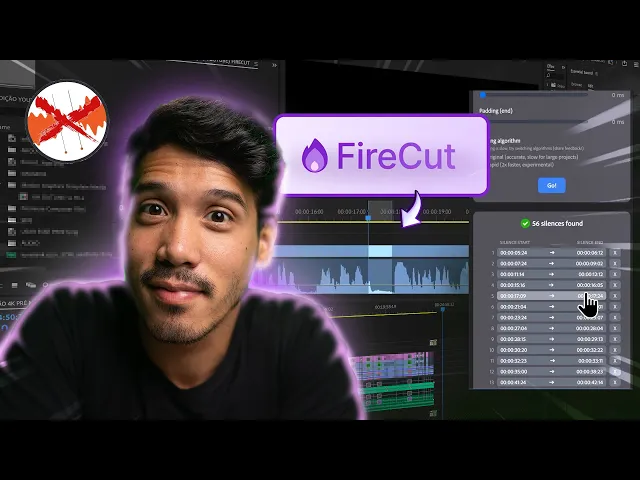
Cut silences in seconds
Cut silences in seconds
Clean up hours of footage in 1 click.
Clean up footage in 1 click.
Get captions at a click
Get captions at a click
Transcribe 50+ languages and get trendy captions that bring views
Transcribe 50+ languages and get trendy captions that bring views
Edit podcasts effortlessly
Edit podcasts effortlessly
FireCut switches cameras automatically based on the content.
Create chapters like a pro
Create chapters automatically
Create chapters like a pro
Let AI detect your chapters, and even generate intro slides.
Let AI detect your chapters, and even generate intro slides.
Add depth with zoom cuts
Add depth with zoom cuts
Create fully automated zoom cuts at the best times.
Create fully automated zoom cuts at the best times.
Try it for free
Requires Adobe Premiere Pro 2022+ (Windows or MacOS)
Requires Adobe Premiere Pro 2022+
(Windows or MacOS)
Our users LOVE FireCut
Our users LOVE FireCut
✨
Connect to Content
Add layers or components to infinitely loop on your page.
The fact that it could create chapters for the most random gameplay commentary of my client and wasnt wrong once is amazing! Insane stuff.

Oval
@OvalCreations
I am absolutely amazed on how well FireCut works, it really feels like magic! This is saving me hours of work.

Editor Bzzuf
@bzz_uf
Amazing AI! Literally this is motivating me to make more videos.

Nithin Koppera
FireCut is amazing, literally helped me get a video 90% done in 2 hours, usually they were taking me around 5-6! And love seeing the regular updates

Callum
@Atrialic
I just used FireCut for my latest video and it was a massive time saver!

Fynn
@itsfynnisgone
We’ve been using it since the beta version. It saves SO much time with every edit!

Physiq
@physiq.official
Best tool ever!!! It has now become an essential part of my workflow, saving me hours of work. I absolutely love it.

Aditya Nagpal
@iadinagpal
FireCut saves me 3+ hours per podcast episode. Down the road, it's going to save 100+ hours on just our podcast alone!

Sebastian Kolter
invisu.dk (prod. agency)
Try it for free
Requires Adobe Premiere Pro 2022+ (Windows or MacOS)
Requires Adobe Premiere Pro 2022+
(Windows or MacOS)